GuidesThread: Download & Generator


DID YOU KNOW
Every script is a one-time purchase — redownload anytime from Your scripts.
SaleUse code GG for an extra 10% off


Sign in on yew.gg with the account you purchased with and open the Script Download page. Pick your script and tap Program this script.
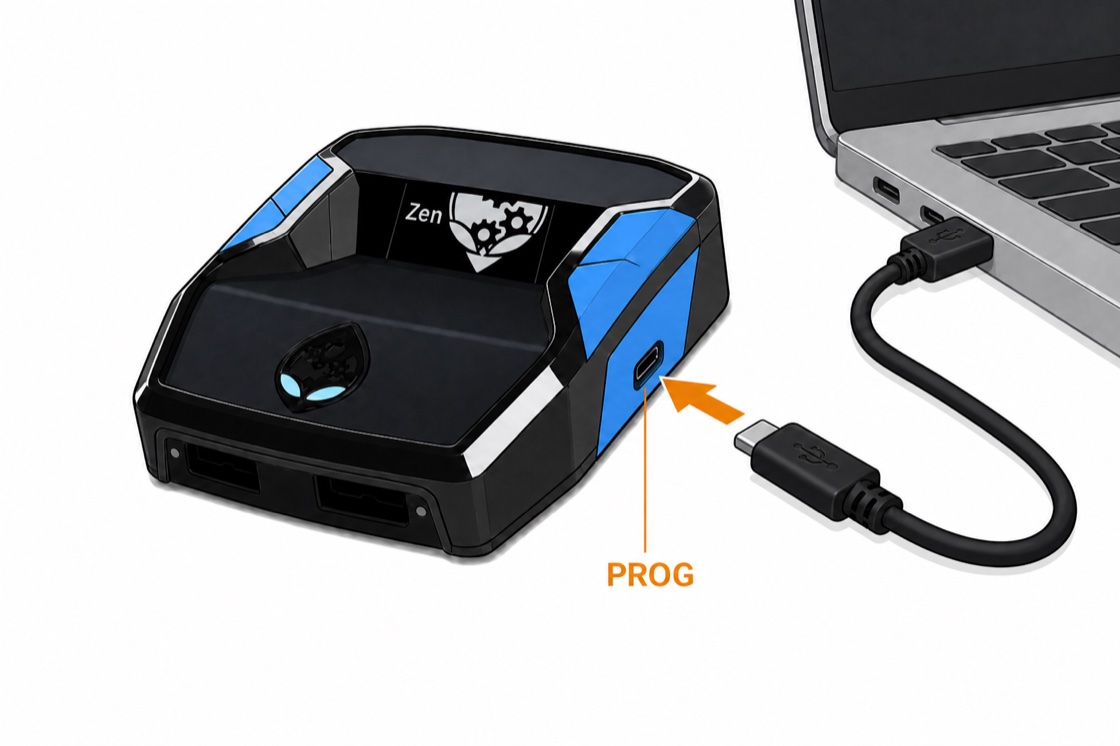
Connect Zen to your computer with the PROG cable (right-side USB-C). Use Chrome or Edge — phones can't talk to the Zen over USB.
In the programmer pane, connect the device and flash the prepared build to a memory slot.
Unplug PROG cable. Plug Zen into console. Play.
The generator on the Script Download page builds a custom script configuration based on your build, jumpshot, and platform, then programs it onto your Cronus Zen from the browser — no file to save.
Open the Script Download page and pick your script.
Select your platform, build archetype, and jumpshot base.
Tap Program this script, connect your Zen, and flash the build from the programmer pane.
 Sign in