Skip to content
SaleUse code WORLDCUP for an extra 10% off
yewscripts
  • Support
  • Script Download
  • Guides
  • Discord
  • ╭ Shop
  • Cronus Zen Scripts
    • Green
    • Hoops
    • Prime
    • Champion
    • FPS
    • Rust
    • Dime
    • Siege
    • Legends
    • Blueprint

GuidesThread: Mod Menu


Mod Menu

July 4, 2026
yewOP7/4/26

The mod menu lets you toggle mods on/off and adjust values while you're in-game, without needing a PC.

Open the menu

1

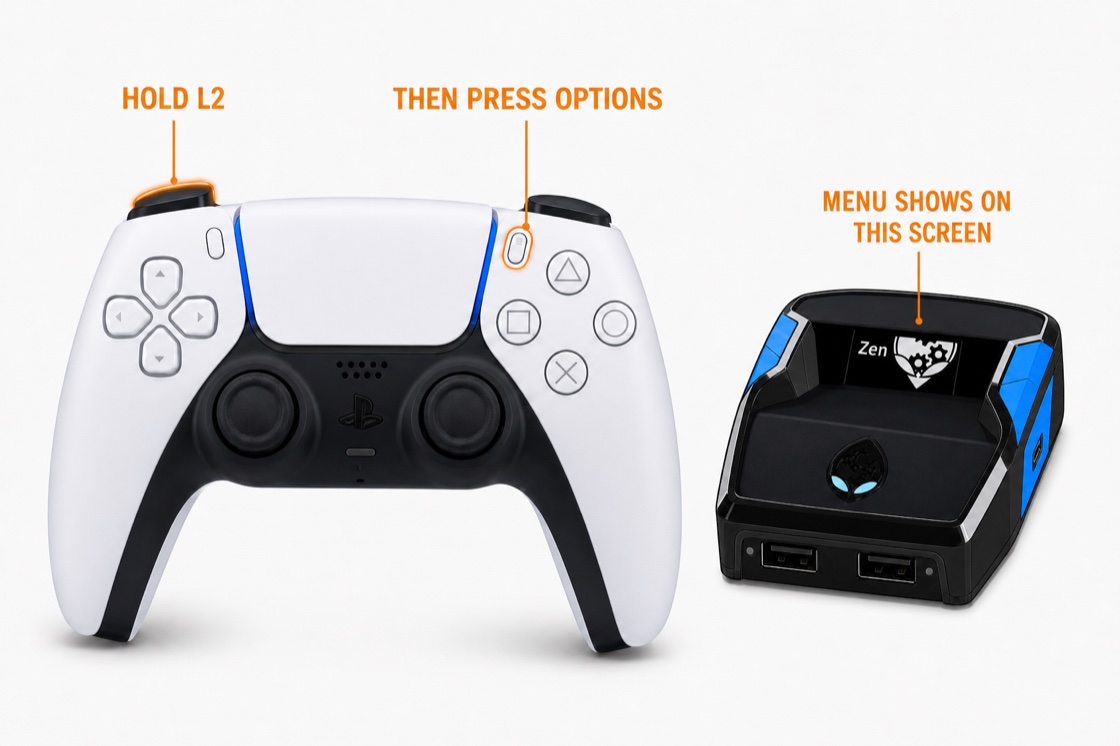
Make sure the script is loaded — the Zen OLED screen should show the script name, not the Gearhead logo.

2

Hold L2 (PS) / LT (Xbox) and press Options (PS) / Menu (Xbox). The mod menu appears on the Zen OLED screen.
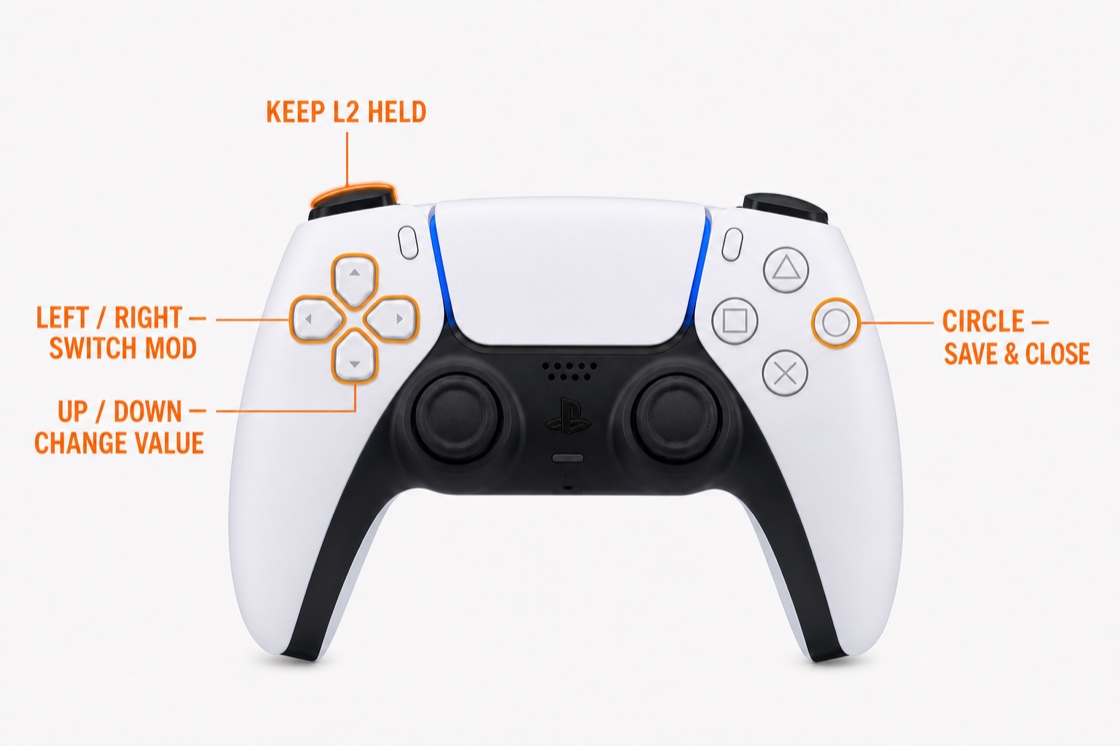
Navigate

InputAction
D-pad Left / RightSwitch between mods (pages)
D-pad Up / DownChange the value or toggle for the current mod
Circle (PS) / B (Xbox)Close the menu and save
Important
You must hold L2/LT while navigating. The menu ignores D-pad inputs if L2/LT is released. Changes save automatically when you close the menu.
Menu won't open?
Make sure the script is actually running (not just loaded). Re-download the latest version from Whop and re-compile if it's outdated. Also verify your controller is plugged into the A1 USB port on the Zen.
Values & settings for all scriptsAll Green mod guidesChampion mod overview
Previousyew.gg vs yew.gg+NextValues & settings
Send a message in "Mod Menu"Chat with support